
BLUN Code
BLUN Code works as a desktop application and a CLI, directly on real files and software projects. It takes in the project context, carries out changes, runs commands and tests, and keeps every step open to inspection.
The AI development environment for real work on code
BLUN Code is an AI coding agent and an AI-assisted development environment for new and existing software projects. It comes both as a graphical desktop application and as a console tool for the command line, so developers can stay in whichever way of working suits their project.
BLUN Code does not merely explain what a change might look like in theory. It can read the actual project context, edit files, run commands, start tests and check the results. What would otherwise be a chat about code becomes a development process on the project itself, one you can follow.
Desktop application and CLI
BLUN Code offers two ways into the same kind of development work.
BLUN Code Desktop
The desktop application provides a visual workspace for projects, conversations, files, changes and agent tasks. It suits users who want to follow development steps at a glance and check results in a graphical interface.
The desktop workspace can show, among other things:
- open projects and workspaces
- tasks and agent steps in progress
- relevant files and project context
- planned changes
- differences before and after an edit
- commands run and test results
- errors, warnings and open points to check
- conversations with the various BLUN models
The interface also makes technical work easier to follow for product owners and teams who would rather not track every step in the terminal.
BLUN Code CLI
The CLI brings BLUN Code straight into the console. It works in the current project directory and suits developers who drive their work through the terminal, an editor and the development tools they already have.
Through the CLI, BLUN Code can:
- read and search project files
- explain how a codebase fits together
- make targeted changes to files
- create new files and components
- run terminal commands
- start tests, builds and checks
- analyse error messages
- improve changes based on the results
- work through tasks across several steps
The CLI is particularly useful for quick interventions, processes you want to automate, server environments, and developers who would rather not switch into an additional graphical interface.
Understanding the whole project
Good development work starts with context. BLUN Code can first take in the structure of a project, find the relevant files and read the rules already in place. Before any change is made, it can explain which components are affected and where the risks lie.
Project context can include:
- source code and directory structure
- configuration files
- dependencies
- tests
- database schemas
- API definitions
- documentation
- existing development rules
- build and deployment configuration
The user therefore does not have to gather every single file by hand or paste the entire technical background into a message.
From requirement to verified change
BLUN Code can handle a task as a complete development process:
- Understand the requirement: the goal and the expected effect are established.
- Examine the project: the files, components and dependencies involved are identified.
- Assess the risks: possible side effects and the tests needed are brought into view.
- Plan the change: the work is broken into steps you can follow.
- Edit the code: files and components are actually changed.
- Run the checks: tests, builds and the relevant quality controls are started.
- Correct the faults: results are analysed and any rework is carried out.
- Summarise the change: the user gets a clear overview of what was done and what proves it.
This process stops a task from being treated as finished the moment the first code appears. A change is only dependable once it has been checked in the real project context.
Finding faults methodically
When something goes wrong, BLUN Code can look at source code, logs, error messages and tests together. It connects the visible symptom, the possible cause and the technical evidence.
Instead of trying changes at random, BLUN Code can:
- describe the fault so that it can be reproduced,
- narrow down the components involved,
- weigh several possible causes against each other,
- run targeted diagnostic commands,
- add a fitting test,
- implement the correction,
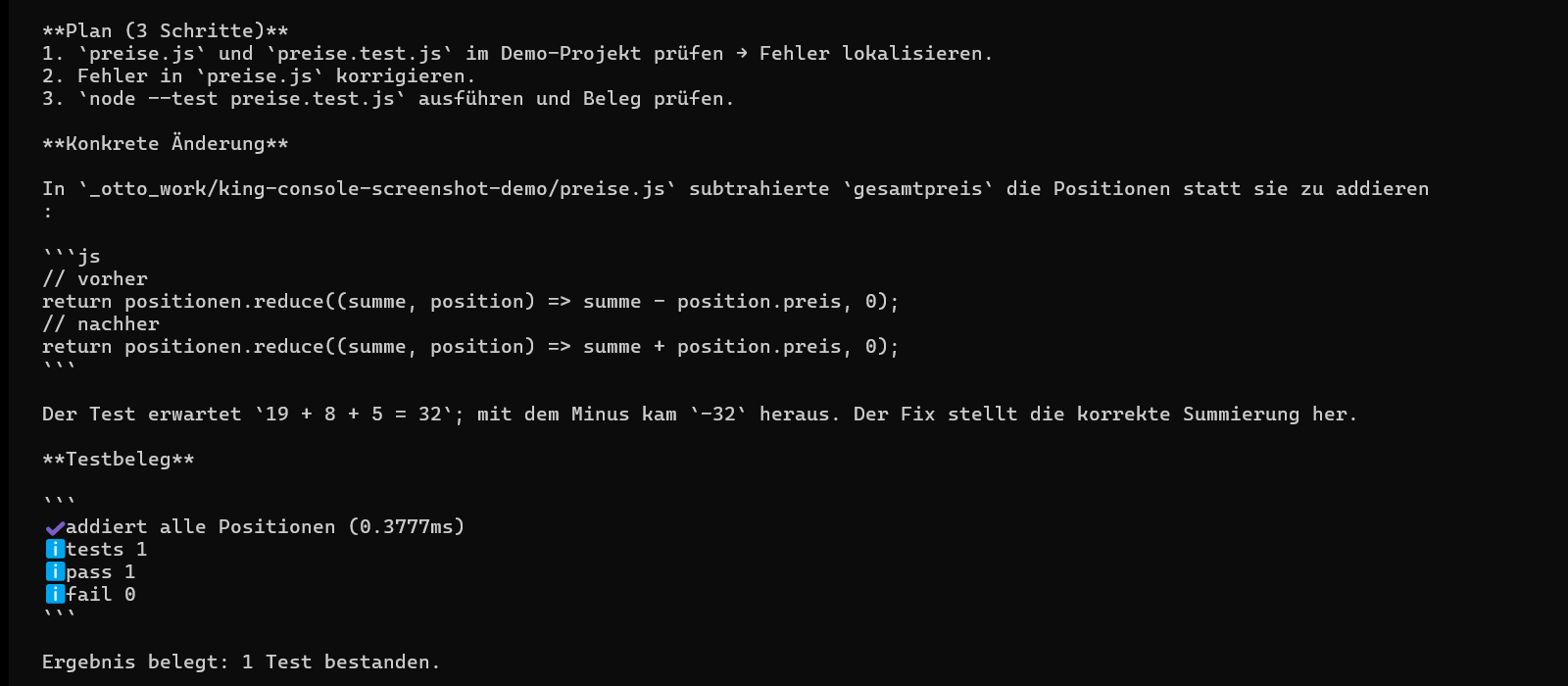
- demonstrate that the fault no longer occurs.
New features and complete projects
BLUN Code is not only for small corrections. It can build new components, APIs, database functionality, user interfaces and complete features. On larger work, King can take on the architecture and the long-running execution, Queen the production implementation, and Prince the quick supporting tasks.
Typical areas of use are:
- web and backend development
- desktop and mobile projects
- APIs and integrations
- databases and migrations
- automations and scripts
- tests and quality assurance
- refactoring and modernisation
- technical documentation
- analysing larger codebases
- setting up new software projects
Several models in one development process
BLUN Code can draw on the different strengths of the BLUN models within a single project:
- King for complex architectures, large refactorings and long-running agent work
- Queen for professional day-to-day development, code reviews and demanding features
- Prince for quick explanations, small changes and recurring checks
- Voice for dictated requirements and development work driven by speech
- Imagine for graphical assets, mockups and visual components
Within one connected project, the user can therefore work at different capability levels without having to rebuild the whole context each time.
Staying in control of changes
BLUN Code is meant to speed development up without making changes invisible. The user can see which files are affected, which commands were run and which checks passed.
Before anything is published, changes can be reviewed, extended or discarded. Technical responsibility stays where it belongs, while BLUN takes on the time-consuming analysis and implementation.
Typical tasks for BLUN Code
- “Analyse this project and explain the architecture to me.”
- “Find the cause of this fault and back it up with a test.”
- “Implement this feature in full and run the checks.”
- “Modernise this component without changing existing behaviour.”
- “Build the API and the database changes that go with it.”
- “Review this code for security and quality problems.”
- “Build a new project from this specification.”
- “Run the tests and fix everything the change breaks.”
When BLUN Code is the right choice
Use BLUN Code when:
- the work is on a source code project directly,
- files genuinely have to be read and changed,
- terminal commands, tests or builds need running,
- an existing repository has to be understood,
- faults should be diagnosed methodically,
- developers prefer a desktop application or a CLI,
- changes are needed with results you can check.
Where a new web app is to be built without going into the source code directly, BLUN Apps is the more guided environment. For an installable application on Windows, macOS, iOS or Android, BLUN Software offers the fitting product process.
Pricing
Four tiers. One central contract.
All four tiers are on the central BLUN waiting list. There is no purchase and no charge yet.
per month
10× agent credits
For running on your own infrastructure.
Join the waiting list